Run Your Auto Repair Shop From One Place
Manage estimates, repair orders, invoices, customers and vehicles with ApexPitCore.
Requesting a walkthrough is free and needs no credit card or EIN.
Running a shop shouldn't mean running five systems
Most of the friction in a busy shop comes from information that lives in the wrong place.
Paperwork that never ends
Handwritten tickets and printed estimates get lost, smudged and typed in again later.
The same details, entered twice
Customer, vehicle and job details get re-entered at every step of the job.
Repair orders scattered everywhere
It's hard to see which jobs are waiting, in progress or ready for pickup.
Phone tag with customers
Approvals wait on callbacks, and customers are left guessing about their car.
Estimates and invoices that slip
Open estimates and unpaid invoices are easy to lose track of on a busy day.
Too many disconnected tools
Scheduling, invoicing and customer messages live in separate places that don't talk to each other.
From the first call to the final invoice
Each step carries the details forward, so nobody types them twice.
Customer
Add the customer once. Their contact details and visit history stay with every job.
Vehicle
Attach the vehicle with a VIN decode, mileage and its service history.
Estimate
Build an itemized estimate the customer can review and approve online.
Repair order
Approved work becomes a repair order with services, parts, labor and status.
Invoice
Close the job with an invoice that reconciles labor, parts, fees, tax and payments.
The screens your team works in every day
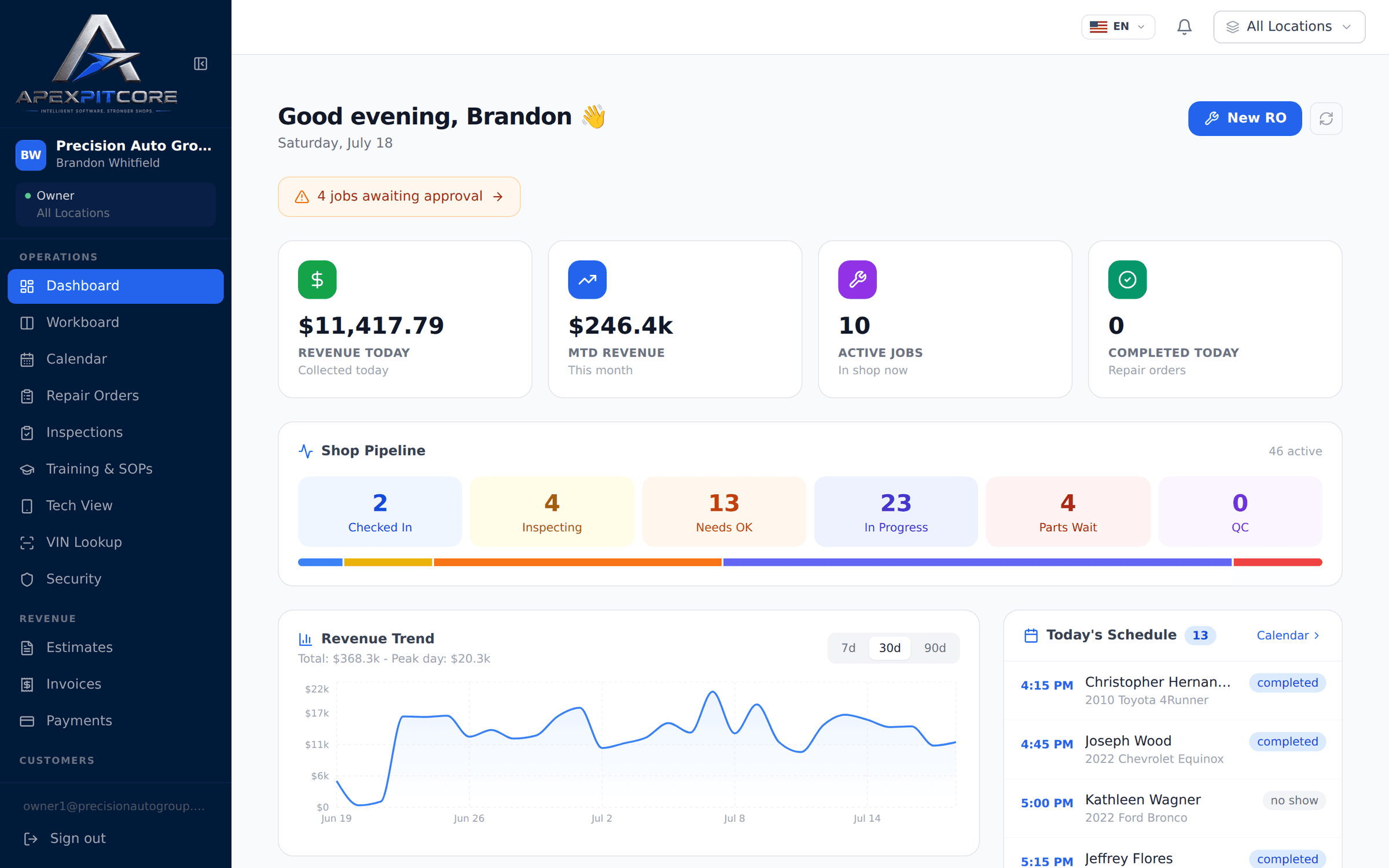
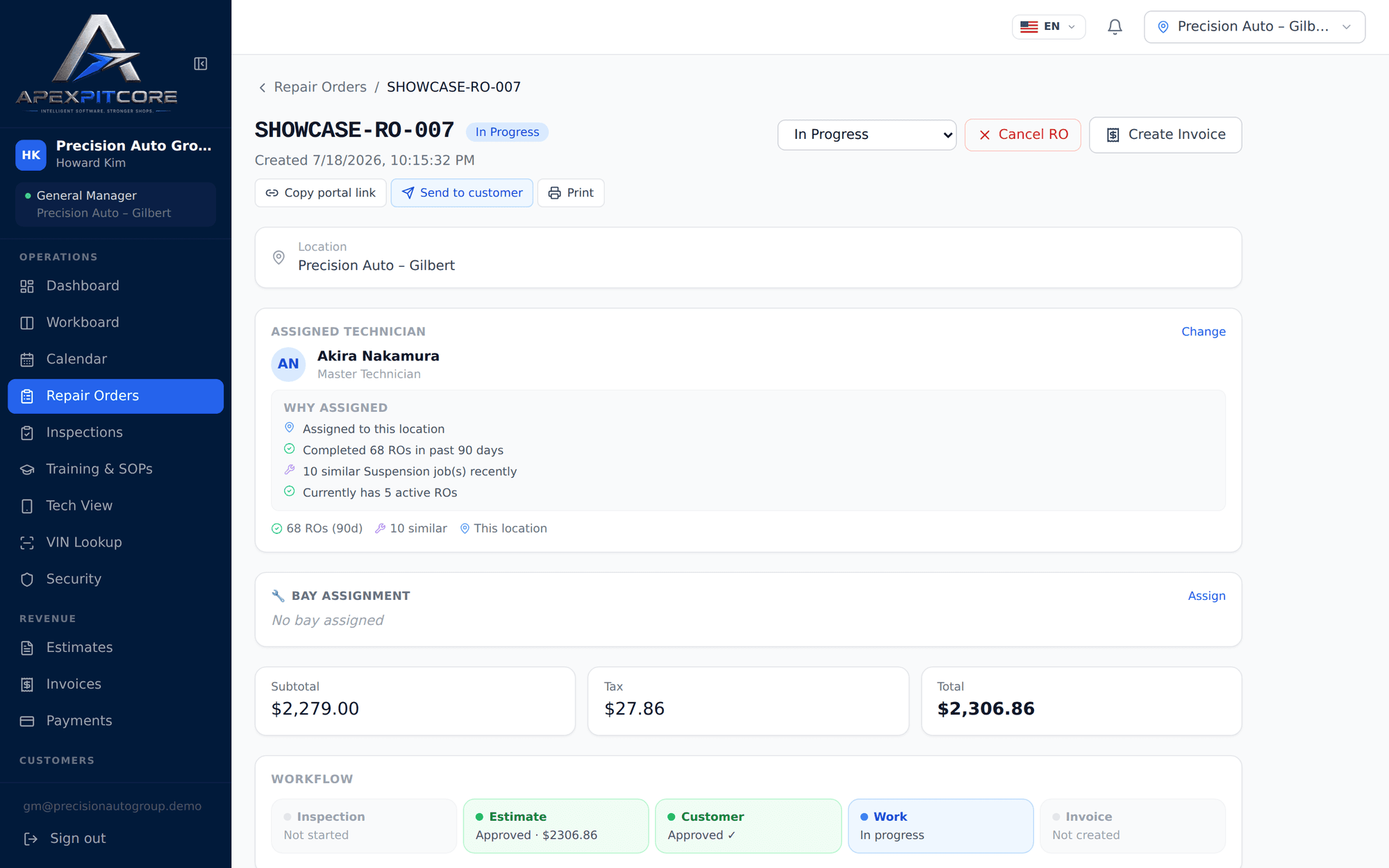
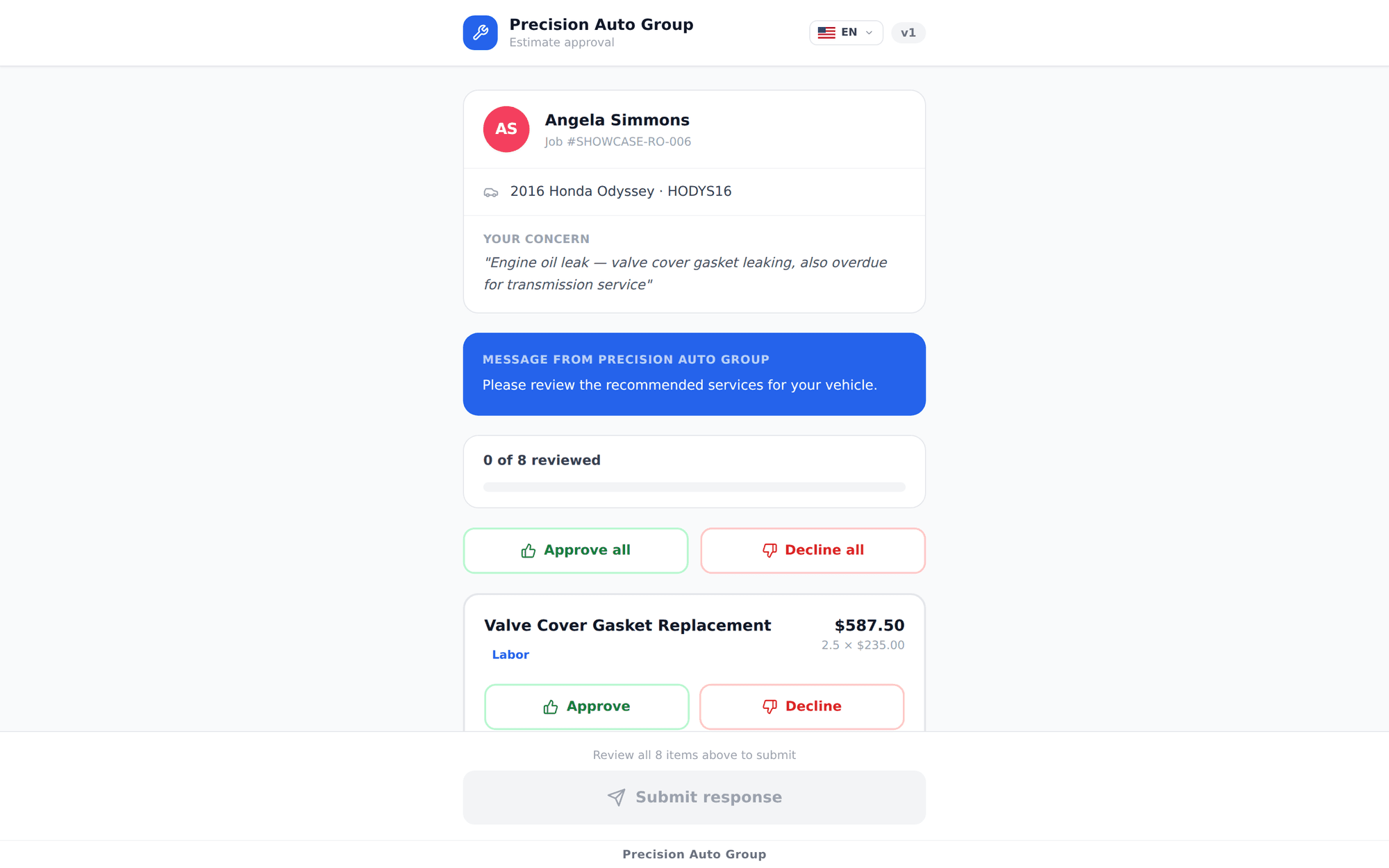
Real ApexPitCore screens, shown with demonstration data.
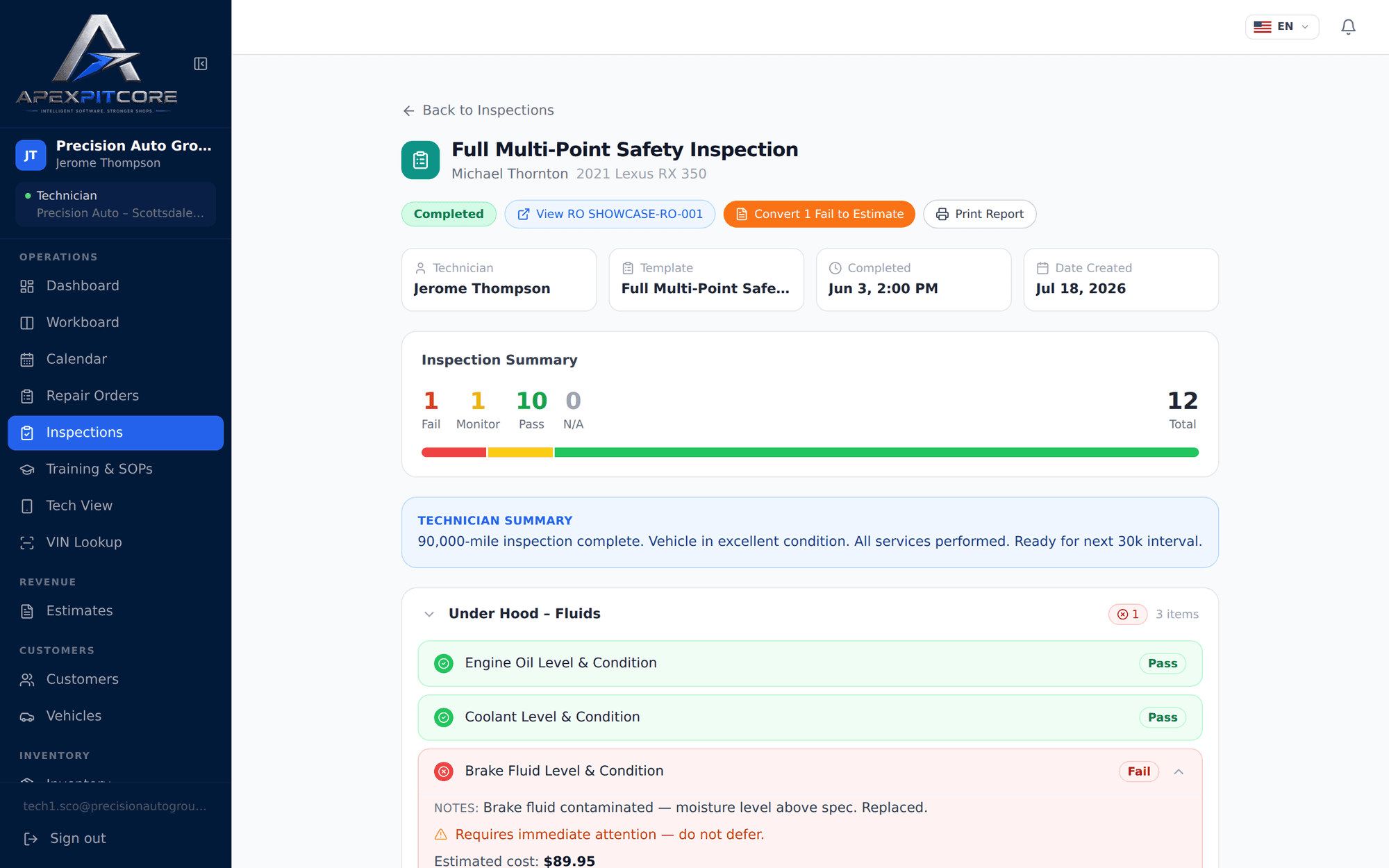
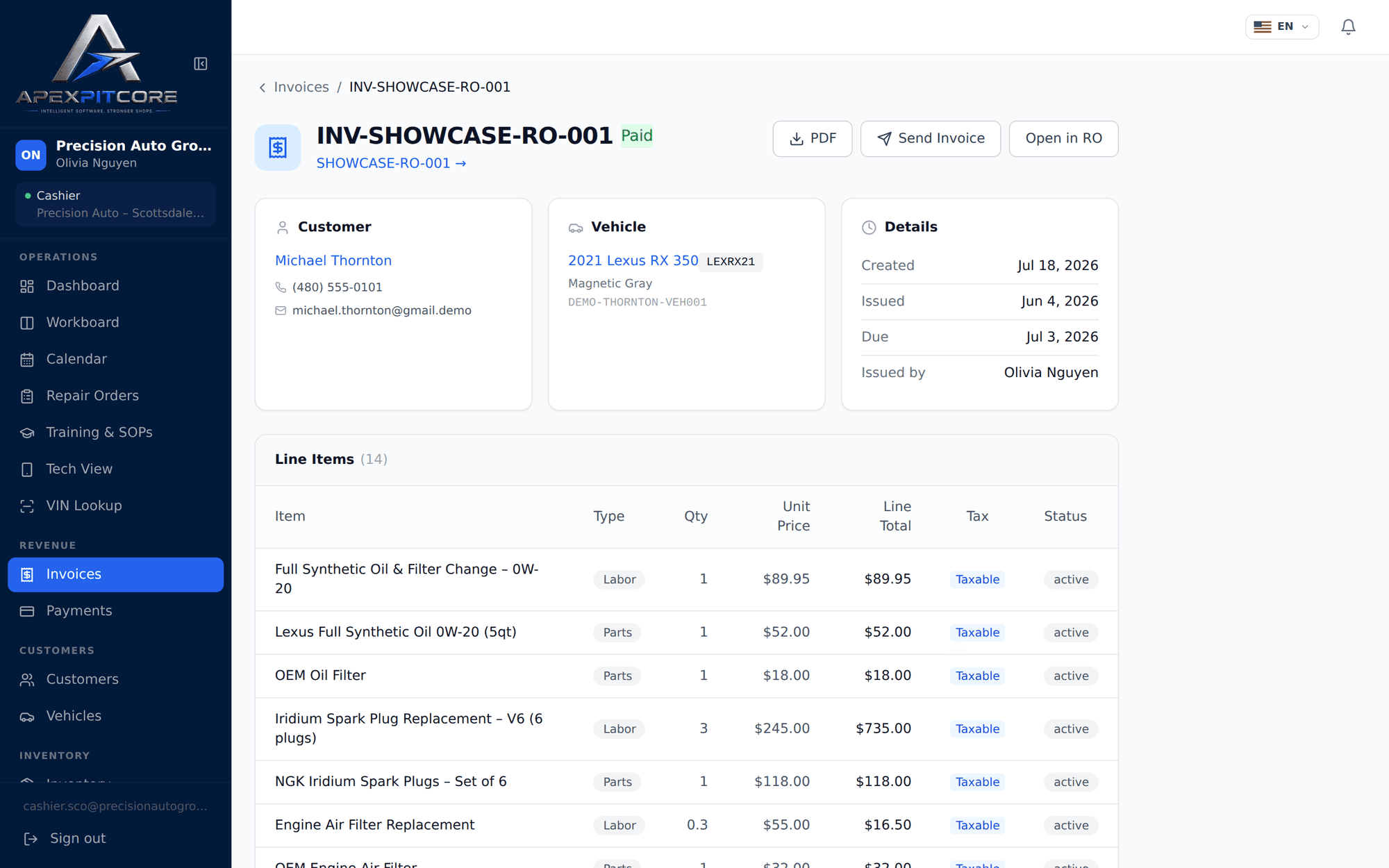
Run the day with less back-and-forth
One record for every job
Customers, vehicles, estimates, repair orders and invoices stay connected.
A clear view of the shop floor
The live workboard shows every job by status and technician.
Approvals without phone tag
Customers approve or decline recommended work from their phone, and the authorization is saved on the repair order.
Invoices that add up
Labor, parts, fees, tax and payments reconcile on one invoice.
Messages in context
Customer conversations stay attached to the repair order they are about.
A view for every role
Advisors, technicians and owners each get the screens they need, with role-based permissions.
Plans and pricing
Every plan includes unlimited users. Billed monthly, and you can cancel anytime.
Starter
Everything a small shop needs to run digitally
| AI credits per month | 250 |
|---|---|
| SMS segments per month | 1,000 |
Professional
The complete operating platform for a growing shop
| AI credits per month | 1,000 |
|---|---|
| SMS segments per month | 3,000 |
Elite
AI and intelligence for high-volume operations
| AI credits per month | 3,000 |
|---|---|
| SMS segments per month | 8,000 |
- Need more? Extra AI credit and SMS packs can be bought anytime from Settings → Billing, at the regular price.
- Included AI credits and SMS segments reset each billing period and don't roll over.
- Texting customers needs a one-time activation for your shop's number before the first message is sent.
- Starter covers one location. Professional and Elite can add locations at the regular price.
Questions shops ask
What is ApexPitCore?
ApexPitCore is cloud software for auto repair shops. It keeps customers, vehicles, estimates, repair orders, inspections, invoices and payments in one connected system that runs in a web browser on desktops, tablets and phones.
Can I use it without AI?
Yes. AI features are optional helpers, such as drafting notes. Every core workflow, from estimate to invoice, works without them.
What happens when AI credits run out?
AI features pause until your included credits reset at the start of your next billing period, or until you buy a credit pack. Everything else in ApexPitCore keeps working.
What happens when SMS credits run out?
Texts aren't sent until your included SMS segments reset at the start of your next billing period, or until you buy an SMS pack. Email and the rest of the system keep working.
Can I buy more credits?
Yes. AI credit packs and SMS packs can be bought anytime from Settings → Billing, at the regular price, including during the introductory offer.
Do I need to switch from my current software?
Not right away. You can see ApexPitCore in a walkthrough first. When you move, customers and vehicles can be imported from a spreadsheet, and hands-on data migration is available as a one-time service.
Can I cancel?
Yes. Billing is monthly and you can cancel anytime from Settings → Billing. Your plan stays active until the end of the period you've paid for, and there is no 12-month commitment.
Does SMS require activation?
Yes. Texting is opt-in: your shop completes a short application with its terms, phone number and business details, and texting turns on once it's approved. Email messages work without it.
How does the demonstration work?
Send the form below and we'll contact you to schedule a live walkthrough of the real product, built around how your shop works. A demo isn't booked until we confirm a time with you, and no credit card or EIN is needed.
Get a short, practical walkthrough
We'll show you ApexPitCore running a real repair-shop workflow, from the first customer call to the final invoice.
- A live look at the real product, not a slide deck
- Built around how your shop actually works
- Your questions answered by our team
- No credit card or EIN needed to request one
Prefer to set it up yourself? Sign up online
Questions? Email [email protected]